
Smart Ring for Contactless Payments (Android & iPhone)
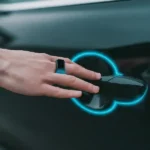
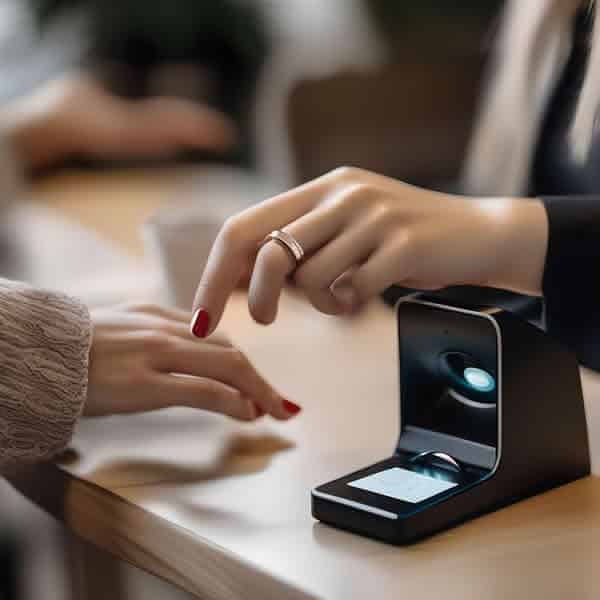
I still remember the look on the cashier’s face the first time I paid for a flat white by just bumping my knuckle against the card reader. It wasn’t a “wow, tech is cool” look; it was more like she thought I’d just performed a minor street magic trick. “Did you just… pay with your hand?” she asked.
That was a few years ago. Since then, I’ve swapped my leather wallet for a piece of ceramic on my finger, and I haven’t looked back. If you’re tired of digging for your phone or realizing you left your debit card in your other jeans, a Smart Ring for Contactless Payments is the solution you didn’t know you needed.
But here’s the thing: the marketing fluff from manufacturers rarely tells you how these actually work on a Tuesday morning at a busy train station. I’ve spent way too much time in the “wearable tech” rabbit hole, and I’m here to give you the insider perspective—no jargon, just the stuff that actually matters.
The Magic Under the Ceramic: How It Actually Works
When most people think “smart ring,” they think of an Oura or a Samsung Galaxy Ring. Those are great for tracking your sleep, but most of them actually can’t pay for your groceries.
A true Smart Ring for Contactless Payments uses something called “Passive NFC” (Near Field Communication). This is the same tech inside your plastic debit card. The “passive” part is the secret sauce: the ring has no battery. It doesn’t need a charger. It wakes up only when it’s within an inch of a payment terminal, drawing a tiny pulse of electromagnetic energy from the reader itself to send a secure, encrypted token.
Inside the industry, we call this the “Secure Element.” It’s a tiny, hardened chip that’s basically a vault. It doesn’t store your actual card number; it stores a “token”—a digital stand-in. Even if someone “sniffed” your ring signal (which is nearly impossible given the 1-inch range), they’d get a useless code that expires in seconds.
Why the “Wait and See” Approach is Over
I’ll admit, I was a skeptic at first. I’m the guy who usually waits for the second or third generation of any tech. I remember when the first smartwatches came out; they were bulky, the batteries lasted six hours, and they felt like a solution in search of a problem. But a Smart Ring for Contactless Payments is different. It’s not trying to be a computer on your wrist. It’s not trying to show you emails or track your steps. It’s a tool that does one thing—letting you pay—and it does it better than any other method I’ve tried.
I spent a few weeks in London recently. If you’ve ever been, you know the “Tube dance.” Everyone is fumbling with their wallets, tapping their phones, or holding up the line because their FaceID didn’t recognize them with a scarf on. I just walked through. I didn’t even have to break my stride. I just rested my hand on the yellow card reader and the gates swung open. It felt like I had a VIP pass to the city. That’s the moment I realized this isn’t a gimmick; it’s a genuine utility.
Android vs. iPhone: The Setup Reality Check
Setting up a Smart Ring for Contactless Payments isn’t quite as “plug and play” as Apple Pay, and that’s where most people get frustrated. Here is the insider secret: the ring doesn’t actually talk to your bank directly. It usually goes through a “provisioning” partner like Fidesmo or Curve.
The Android Experience
If you’re on Android, you generally have it easier. Android’s NFC stack is “open,” meaning you can often use the ring manufacturer’s app (like McLEAR or CNICK) to scan the ring and link your card in about two minutes. I used a Google Pixel for a year with my Smart Ring for Contactless Payments. The beauty of Android is the “NFC antenna placement” visualization apps. You can actually download apps that show you exactly where the chip is on your phone. This is huge when you’re trying to link your Smart Ring for Contactless Payments. I found that if I took my phone case off for the initial “pairing,” the connection was 100% faster. Once the ring is paired, you don’t need to do it again, so the case goes back on.
The iPhone Experience
Apple is a bit more protective of its NFC chip. You can’t just “tap to pay” with the Smart Ring for Contactless Payments using Apple Wallet directly. Instead, you use the ring’s dedicated app to set up the connection. On an iPhone, the NFC sensor is at the very top edge, near the camera. I’ve seen people rubbing their rings all over the back of their iPhone 15 like they’re trying to polish it—don’t do that. Just tap the top edge.
I’ve used both ecosystems, and the biggest hurdle I found with the iPhone was the “NFC sleep” mode. Sometimes, if your iPhone hasn’t used NFC in a while, it takes a split second to wake up. When you’re trying to check your Smart Ring for Contactless Payments balance or update your card info in the ring’s app, be patient. Hold the ring to the top edge of the phone (right by the ear speaker) and hold it still. Don’t “tap” it like you’re knocking on a door—rest it there for a solid three seconds.
The Anatomy of the Transaction
When you’re looking into getting a Smart Ring for Contactless Payments, you’ll hear a lot of talk about “tokens.” Let’s break that down without the tech-speak. Imagine your actual credit card number is a master key to your house. You wouldn’t want to hand that key to every coffee shop or gas station you visit.
When you set up your Smart Ring for Contactless Payments on your iPhone or Android, the software creates a “digital twin” of your card. This twin is a string of random numbers that only works when it’s paired with the specific hardware ID of your Smart Ring for Contactless Payments. When you tap the terminal, the Smart Ring for Contactless Payments says, “Hey, I’m Token #456.” The bank looks at its list, sees that Token #456 is authorized to spend your money, and approves the transaction. This is why many industry experts consider a Smart Ring for Contactless Payments more secure than the plastic card in your pocket.
Insider Secret: The “Curve” Workaround
One big hurdle is that many major banks are slow to support a Smart Ring for Contactless Payments. If your bank says no, don’t give up. Almost everyone in the industry uses Curve. You link your regular bank card to the Curve app, and then you link the “Curve digital card” to your Smart Ring for Contactless Payments. It acts as a bridge. Plus, it gives you a “Go Back in Time” feature where you can switch which card you paid with after you’ve already tapped.
I had this issue with my local credit union. They didn’t even know what a Smart Ring for Contactless Payments was. I signed up for Curve, added my credit union card to the Curve app, and then “onboarded” the Curve card to my Smart Ring for Contactless Payments.
The Learning Curve (The “Knuckle Knock”)
The biggest mistake new users make with their Smart Ring for Contactless Payments is trying to pay with the “palm” of their hand or flat-tapping the ring like a card. It won’t work.
The antenna inside a Smart Ring for Contactless Payments is a tiny loop. To get it to trigger the reader, you need to form a loose fist and “knock” the terminal with your knuckle. You want the Smart Ring for Contactless Payments to be parallel to the reader’s surface. Once you master the “knuckle knock,” your success rate with your Smart Ring for Contactless Payments goes from 50% to 100%.
Why I Chose Ceramic Over Metal
You’ll see a Smart Ring for Contactless Payments made of wood, silver, or titanium. My advice? Go for Zirconia Ceramic.
- Signal Strength: Metal interferes with NFC signals (it’s called “attenuation”). Manufacturers have to do a lot of engineering gymnastics to make a metal Smart Ring for Contactless Payments work. Ceramic is “radio transparent,” meaning the signal zips right through it.
- Durability: I’ve dropped my Smart Ring for Contactless Payments on concrete and clinked it against gym barbells. It hasn’t scratched once.
- Hypoallergenic: If you have sensitive skin, ceramic is the gold standard for a Smart Ring for Contactless Payments.
I used to wear a metal one, and within three months, it looked like I’d been scrubbing sandpaper with it. Every time you grab a door handle or pick up your keys, metal-on-metal creates scratches. Then I switched to a ceramic Smart Ring for Contactless Payments. This stuff is nearly as hard as diamond. I’ve dropped my Smart Ring for Contactless Payments on a marble floor, and it just bounced. It also has a “warm” feel to it. Unlike metal, which can feel cold, a ceramic Smart Ring for Contactless Payments stays closer to your body temperature.
Security: Is It Safer Than a Card?
In my experience, yes. If you lose your wallet, your card number is printed right there on the plastic. If you lose your Smart Ring for Contactless Payments, there are no numbers. No name. No CVV.
Most models of Smart Ring for Contactless Payments allow you to “freeze” the ring instantly from your phone. And because the range is so short (literally touching the machine), someone can’t “skim” your pocket from a distance. The industry follows EMVCo standards, which is the same global security body that handles Visa and Mastercard for any Smart Ring for Contactless Payments.
The “Death” of the Battery
One of the most common questions I get is, “How long does the battery last in a Smart Ring for Contactless Payments?” People are shocked when I tell them it doesn’t have one.
Think about it: your plastic credit card doesn’t have a battery, right? But it still works on a contactless reader. The reader is the power source. It emits a tiny field of radio frequency (RF) energy. When your Smart Ring for Contactless Payments enters that field, the copper coil inside the ring catches that energy and uses it to “shout” back its encrypted code.
This is a game-changer for travel. I’ve gone on three-day hiking trips where my phone died. Because the Smart Ring for Contactless Payments is passive, I was still able to buy a meal at the trailhead. No chargers, no cables, no stress.
What the Manufacturers Don’t Tell You About Sizing
I’ve seen so many people return their Smart Ring for Contactless Payments because they “don’t fit.” Here’s the insider truth: your finger size changes more than you think.
- Temperature: When it’s cold, your fingers shrink. When you’re hot, they swell.
- Time of Day: Your fingers are usually largest in the morning.
- The “Knuckle” Factor: You need the Smart Ring for Contactless Payments to be tight enough that it won’t fall off, but loose enough to get over your knuckle.
My advice? When you get the sizing kit for your Smart Ring for Contactless Payments, wear the plastic ring on your non-dominant hand. Your dominant hand’s fingers are actually slightly larger. I wear my Smart Ring for Contactless Payments on my left ring finger. It stays out of the way when I’m shaking hands, but it’s easy to reach across to a payment terminal.
Living Without a Wallet: The Pros and Cons
The Pros:
- Running/Gym: I go for runs with just my Smart Ring for Contactless Payments. I can grab a bottle of water without carrying anything.
- The “Cool” Factor: Never having to reach for a phone when your hands are full is a genuine life upgrade for anyone with a Smart Ring for Contactless Payments.
- No Battery: I’ve forgotten to charge my smartwatch a hundred times. My Smart Ring for Contactless Payments is always “on.”
The Cons:
- The PIN Prompt: Just like a card, every few transactions, the machine will ask for a PIN. Your Smart Ring for Contactless Payments can’t bypass that for security reasons.
- Sizing: You can’t “resize” a ceramic Smart Ring for Contactless Payments. You have to use a sizing kit first.
Practical Tips for the “Daily Driver”
- The “Sweep” vs. The “Touch”: If the reader isn’t picking up your Smart Ring for Contactless Payments, don’t just hold it there. Sometimes the antenna is off to the side. Try a slow “sweep” across the face of the terminal.
- Hand Placement: I’ve found that the best way to pay with a Smart Ring for Contactless Payments is to tuck your thumb in and present your knuckles. It puts the Smart Ring for Contactless Payments at the closest point to the reader.
- Water Safety: Most these rings are rated for 50 meters. I’ve worn my Smart Ring for Contactless Payments in the ocean and the shower. Just make sure to rinse it with fresh water later.
Additional Thoughts
The Smart Ring for Contactless Payments isn’t just a gadget; it’s a shift in how you move through the world. It removes that “friction” of looking for your wallet. It’s subtle, it’s secure, and honestly, it makes life just a little bit more seamless. If you value your time and you hate carrying extra “stuff,” a Smart Ring for Contactless Payments is a no-brainer.
The transition to a wallet-less life with a Smart Ring for Contactless Payments is a lot easier than you think. Once you get used to the freedom of having your “card” literally attached to you, going back to a bulky wallet feels like going back to a flip phone. It’s just… better.
Frequently Asked Questions (FAQ)
Does a Smart Ring for Contactless Payments require a monthly subscription? Usually, no. Most rings like McLEAR or RingPay are a one-time purchase. However, some third-party “wallet” apps that manage the Smart Ring for Contactless Payments might have premium tiers, but the basic payment function is almost always free.
What happens if I lose my ring? You open the app on your Android or iPhone and hit “Suspend.” It kills the token on your Smart Ring for Contactless Payments instantly. Your actual bank card remains safe and active.
Can I use it to pay for the subway or bus? Yes! As long as the transit system accepts “Open Loop” contactless payments, your Smart Ring for Contactless Payments will work perfectly. It’s actually the fastest way to get through a turnstile.
Do I need my phone with me to pay? Nope. The phone is only needed for the initial setup of the Smart Ring for Contactless Payments. Once the “token” is on the ring, you can leave your phone at home.
Does it work internationally? If the store accepts Visa or Mastercard contactless, your Smart Ring for Contactless Payments will work. I’ve used my Smart Ring for Contactless Payments in London, New York, and a tiny village in Italy without a single glitch.
Additional helpful information
- Details about using a NFC Smart Ring – The Ultimate Guide to NFC Smart Rings
- More information about companion apps for your Smart Ring – Smart Ring Companion Apps
- Here are some interesting tricks and hacks for your Smart Ring – Unlock Your Smart Ring: Top Hacks & Tricks
- How to solve some common issues with your Smart Ring – Top 5 Smart Ring Issues and How to Solve Them